How to Play Word Search, and How to Find Words Faster
A word search hides a list of words in a square of letters. Every word runs in a straight line, and your job is to find them all. This page builds a fresh puzzle every time from twelve topic lists, a mix of all of them, or your own words, on three sizes and three levels. It can also print a pack of new puzzles with the answers on the last page.
📋 Word Search Rules
- Every word on the list is in the grid once. It sits in one straight line of neighboring letters, with no gaps and no turns.
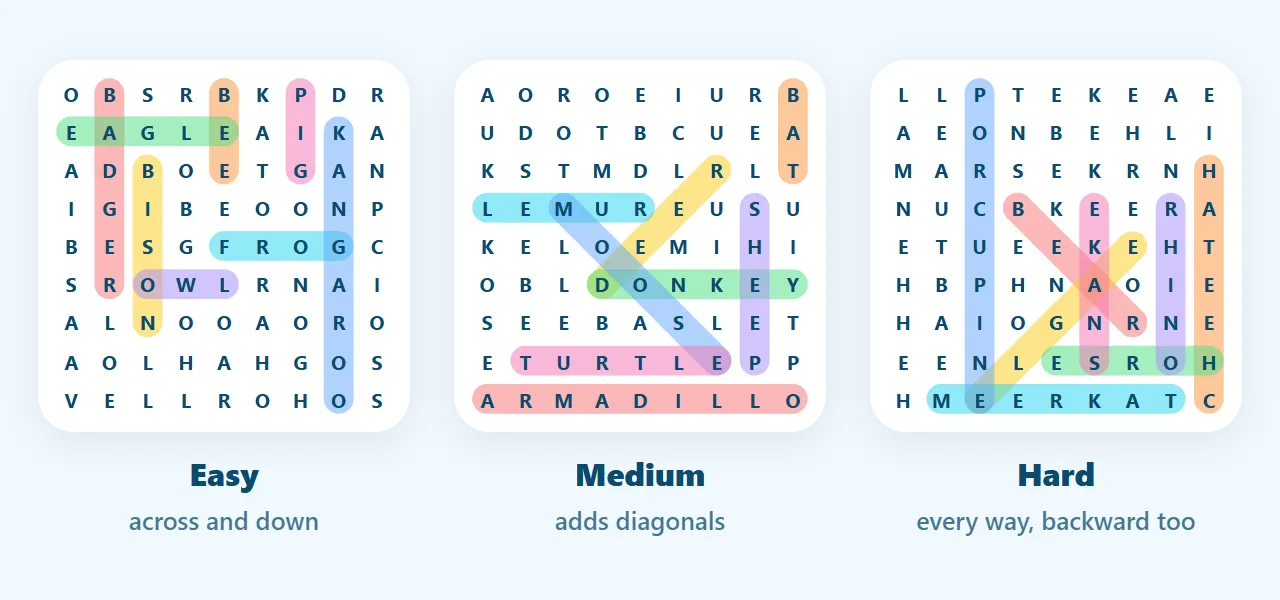
- The level decides the directions. On Easy, words read left to right or top to bottom. Medium adds the two diagonals that read left to right. Hard allows all eight directions, so a word can run backward or up.
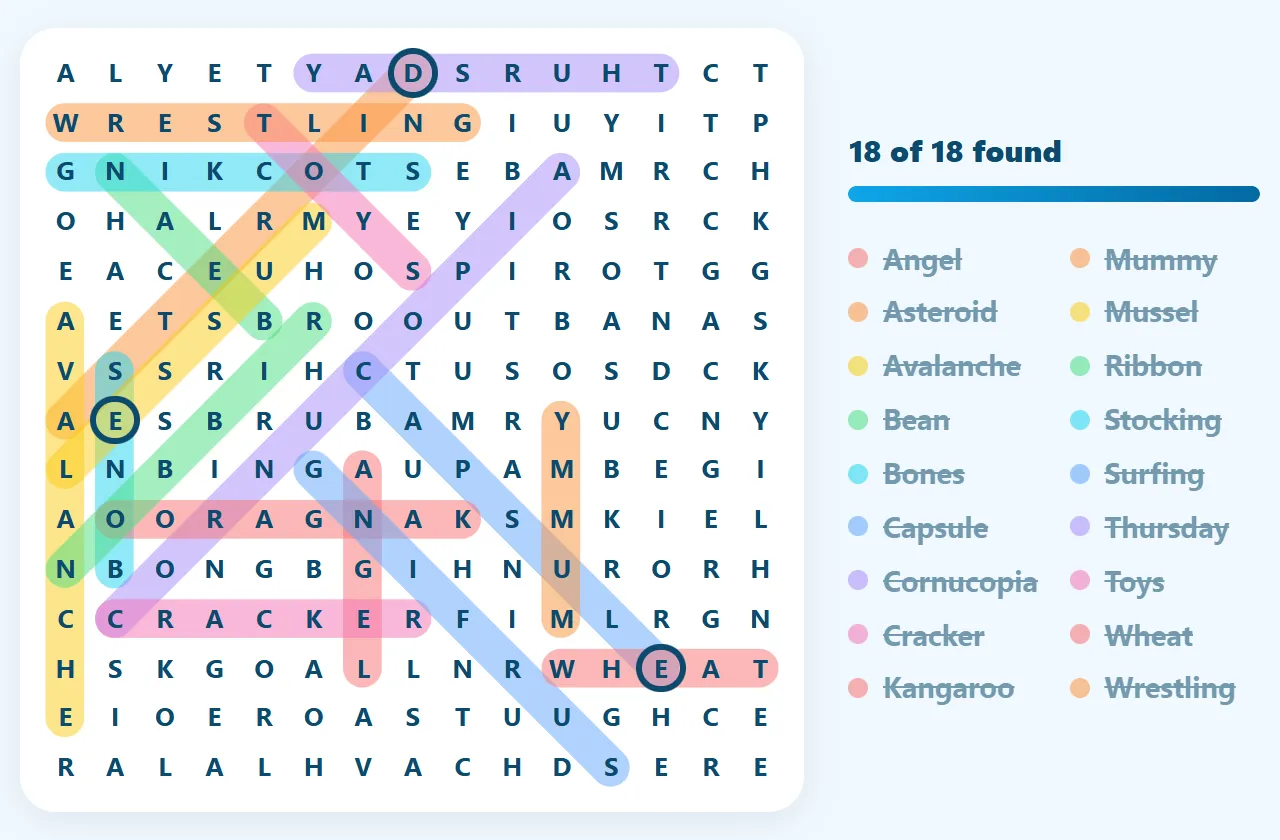
- Words can cross. Two words may share a letter where they cross, so a letter you have already circled can still belong to another word.
- Find them all. Drag across a word, or tap its first letter and then its last. The puzzle is done when every word on the list is crossed off.
🧭 What Easy, Medium and Hard Mean Here
Most word search sites have a difficulty menu and never say what it changes. Here, two things change: the directions words may run, and how much of the filler is made from the hidden words' own letters. Filler made of those letters is what creates near-misses such as TIGE beside a real TIGER, and near-misses are most of what makes a grid slow.
| Level | Words run | Filler letters | Measured |
|---|---|---|---|
| Easy | → right and ↓ down | Half ordinary letters, half from the words | Half the words across, half down |
| Medium | Adds ↘ and ↗ diagonals | Three quarters from the words | 36% to 46% of words diagonal |
| Hard | All eight directions | All from the words | Half the words backward |
The generator spreads words across the allowed directions on purpose. On Hard it does not leave you with a token backward word in a corner; in our test boards 49% to 50% of Hard words ran backward, up, or down-left.
Sizes change the grid and the word count:
| Size | Grid | Words | Letters that belong to a word |
|---|---|---|---|
| Small | 9 × 9 | 8 | about 55% |
| Medium | 12 × 12 | 12 | about 47% |
| Large | 15 × 15 | 18 | about 45% |
A word longer than the grid is never picked, so Small boards leave out the long names. On the dinosaur page, Tyrannosaurus only turns up on Large.
🔀 Why the Words Cross
A simple generator drops each word into the first empty space that fits, so words spread out with nothing in common. Ours tries every spot for every word and prefers spots where it shares a letter with a word already placed. It never lets two words lie along the same line, which would merge them into one long string. The result is a grid where finding one word gives you a letter of the next. Across our test boards, 92% to 98% of the words on a Large board crossed at least one other word, and 73% to 88% on Small.
Two more checks run on every board before you see it. Every word on the list can be read in exactly one place, so you never circle a second copy and get told it is wrong. And no line of the grid, read either way, spells a word we would not want on a classroom sheet. When the filler breaks either rule, those letters are redrawn.
🔍 Hunt the Rarest Letter, Not the First
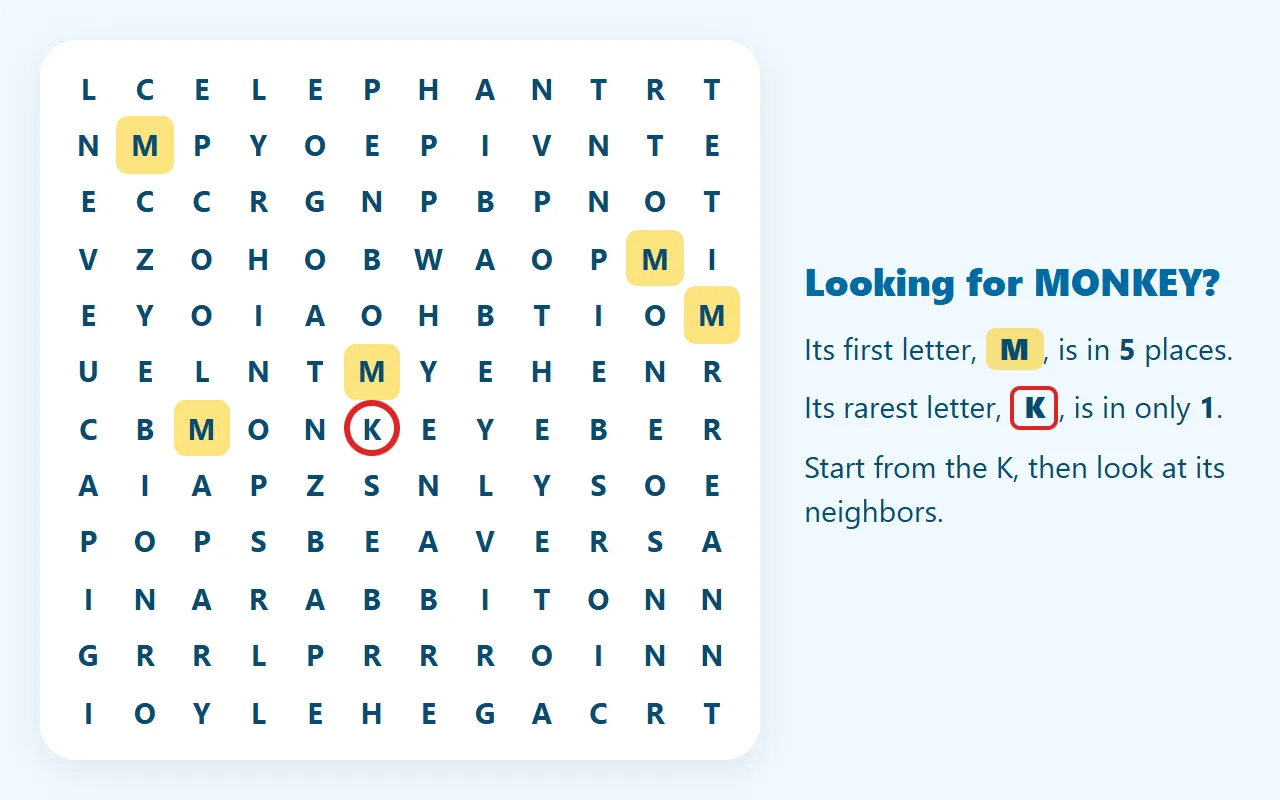
Most people look for a word's first letter, then check around it. That works, but it is rarely the quickest letter to hunt. On our Large boards, a word's first letter appears about 11 to 12 times in the grid. Its rarest letter appears about 6 times. On Small boards it is 5 times against 2. So look for whichever letter of the word is least common in the grid, which is often a J, K, V, X or a doubled letter. Then check the neighbors in each allowed direction.
Take JAGUAR on a Medium board. A is everywhere, but there may be only one or two Js. Check what sits after each J: an A to its right, below it, or on a diagonal tells you which way to read. Doubled letters work the same way. The LL in GORILLA or the OO in KANGAROO is easy to spot, because two equal letters side by side stand out.
↩️ Backward and Diagonal Words
On Hard, half the words run backward, so spell each one in reverse before you start looking: RAUGAJ, not JAGUAR. Or hunt for its last letter, which is where a backward word begins. Diagonals are easy to lose halfway along. Lay a finger on the grid and slide it from letter to letter instead of reading by eye.
⚠️ Common Mistakes
- Stopping at a near-miss. The filler is built from the hidden words' letters, so PENGUI can sit two letters away from the real PENGUIN. Check the whole word before you circle it; the page says "not on the list" if the run is wrong.
- Skipping circled letters. A letter that is already part of one word can start or end another. When you are stuck on the last few words, look through the colored stripes as well as around them.
- Scanning directions the level never uses. Easy never runs backward or diagonally, so don't spend time there. On Hard, don't stop at the two directions you checked first.
🖨️ Printable Word Search Packs
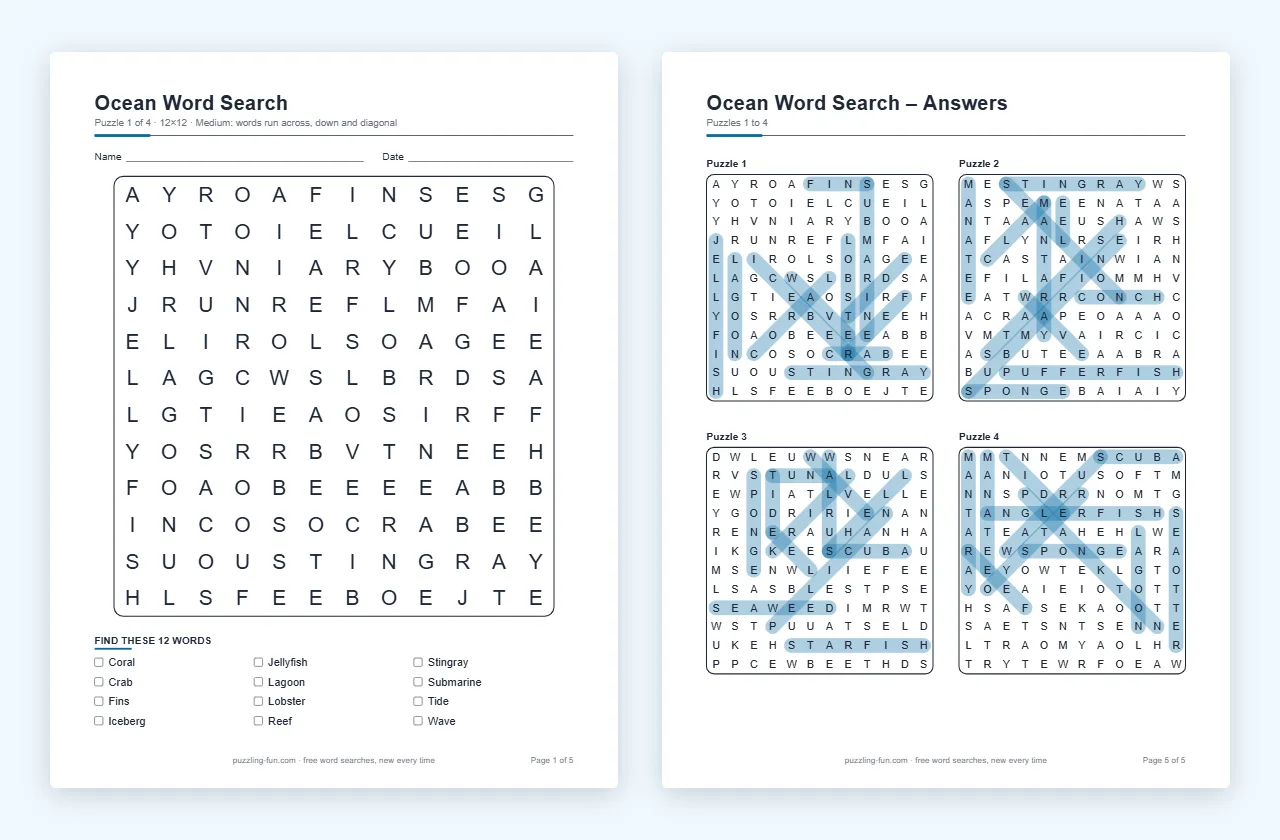
Open Make a printable pack under the board and choose 1 to 10 puzzles, any size and level, US Letter or A4 paper, and a title. Each puzzle gets a full page with a large grid and a word list with tick boxes. The answer key comes last, four puzzles to a page, with every word marked. A name and date line is there for classrooms. The preview shows the first page before you download.
The PDF is built in your browser from fresh puzzles, so no email is asked for and nothing is sent anywhere. Different puzzles makes a new set, so a class can have a new pack every week. Every topic page has the same pack, drawn from its own word list.
✏️ Make a Word Search From Your Own Words
Choose My own words in the Topic menu and type up to 25 words of 3 to 15 letters: a spelling list, family names, a vocabulary unit. Spaces and hyphens are allowed in the list and left out of the grid. If a word is too long for the size you picked, the grid grows to fit it. The words stay in your browser for next time, and the printable pack works with them too.
🎮 How to Play on This Page
- Drag from a word's first letter to its last. The selection snaps to the nearest straight line, so a slightly crooked swipe still works on a phone.
- Or tap the first letter, then the last.
- On a keyboard, click the grid or tab to it, move with the arrow keys, and press Enter on the first and last letters.
- Hint picks a word you haven't found and lights its first letter. Press it again to light the second letter, which shows the direction.
- Solution shows the rest of the words in gray. The timer starts on your first move, and your best time for each topic, size and level is kept in your browser.
📜 Where Word Search Came From
The word search is usually credited to Norman E. Gibat, who printed one in the Selenby Digest, a small paper in Norman, Oklahoma, on March 1, 1968. Spain's sopa de letras ("letter soup") may be older, though the evidence for that is thin. The puzzle also goes by word find, word seek, word sleuth and mystery word.
🧒 A Good First Puzzle for Young Readers
Easy on Small is built for children who are learning to read. Its eight words only run left to right and top to bottom, the way they read a page, and half the filler is ordinary letters, so there are fewer near-misses. Matching a word on the list to the same letters in the grid is real spelling practice. With your own words, this week's spelling list becomes this week's puzzle.
Pick a topic below the board, or stay on Mixed for a little of everything. Happy hunting! 🔎